
Download Crisp MagicReply – AI‑Driven Customer Service Tool, Free Secure Update for Windows, Mac, Android & iOS
Overview
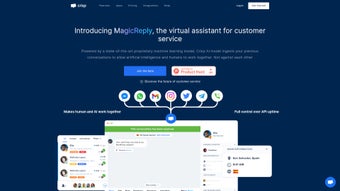
Crisp MagicReply is a subscription‑based, cloud‑hosted AI tool that transforms the way businesses interact with customers. Built around a multilingual chatbot, the platform automatically summarizes past conversations, crafts personalized replies, and toggles effortlessly between audio and text channels. Because it runs entirely in the browser, there is no bulky installer or local footprint—teams can launch the service from a single dashboard and start improving response times within minutes.
The solution bundles a website chat widget, deep CRM integration, a shared inbox, a ticketing system, and a searchable knowledge base, creating a single pane of glass for all customer‑facing activities. Powered by a proprietary machine‑learning model, MagicReply assists human agents by surfacing relevant history, suggesting next‑step actions, and even translating messages on the fly. Over 500,000 brands worldwide have already adopted the platform, citing faster resolution, higher satisfaction scores, and reduced operational costs.
New users enjoy a 14‑day free trial that unlocks the full feature set, allowing them to evaluate the impact before committing to a subscription. In addition to the core AI capabilities, MagicReply provides detailed analytics, role‑based access controls, and automated compliance reporting, making it suitable for regulated industries such as finance and healthcare. The service is continuously updated with security patches and new language models, ensuring that customers always benefit from the latest advancements without manual intervention.
Whether you run a startup support desk or a global contact center, Crisp MagicReply offers a scalable, secure, and future‑proof solution for modern customer service teams.
Key Features that Set Crisp MagicReply Apart
- Multilingual Chatbot: Supports over 30 languages, enabling global brands to converse with customers in their native tongue without additional translation services.
- Conversation Summarizer: AI‑driven engine extracts key points from previous interactions, giving agents instant context and cutting handling time by up to 40%.
- Website Chat Widget: Lightweight, customizable widget that can be embedded on any site in seconds, with real‑time visitor monitoring.
- CRM Integration: Native connectors for Salesforce, HubSpot, Zoho, and Microsoft Dynamics, ensuring that every chat is automatically logged to the right contact record.
- Shared Inbox & Ticketing: Centralized inbox that aggregates chats, emails, and social messages, coupled with an intuitive ticketing workflow for escalation.
- Knowledge Base Builder: Drag‑and‑drop editor for creating searchable help articles that the AI can reference when answering queries.
- Audio‑Text Switching: Seamlessly move between voice calls and text chats without losing context, ideal for support centers that handle both channels.
- Analytics Dashboard: Real‑time metrics on response times, satisfaction scores, and AI performance, helping managers make data‑driven decisions.
- Secure Cloud Architecture: End‑to‑end encryption, GDPR‑compliant data storage, and regular security audits keep customer data safe.
- 14‑Day Free Trial & Scalable Plans: Try all features risk‑free, then choose from tiered pricing that grows with your team size and ticket volume.
Each of these capabilities is designed to reduce friction in the support journey. For instance, the conversation summarizer eliminates the need for agents to manually scroll through chat histories, while the multilingual engine removes language barriers that often cause delays. The integrated knowledge base not only empowers customers to self‑serve but also feeds the AI with up‑to‑date information, ensuring that automated suggestions remain accurate.
In addition, the analytics dashboard provides granular insights into agent performance, peak traffic periods, and common customer issues, allowing managers to fine‑tune staffing and training programs. The secure cloud architecture guarantees that data is encrypted both in transit and at rest, meeting stringent compliance standards without extra configuration. Together, these features create a cohesive ecosystem where AI and human agents complement each other, delivering a seamless, secure, and highly responsive customer experience across desktop, tablet, and mobile devices.
Installation, Usage Instructions & Compatibility
Quick Start – No Installation Required
Crisp MagicReply lives in the cloud, meaning you never need to download or install software on a local machine. To get started, simply sign up on the Crisp website, choose the MagicReply plan, and activate your account. During the onboarding wizard you will be prompted to:
- Verify your email address and set a strong admin password.
- Select the languages you want the chatbot to support.
- Connect your existing CRM by providing API credentials or OAuth authentication.
- Paste a short JavaScript snippet into the
of your website to deploy the chat widget. - Configure your shared inbox by linking email addresses or social media accounts.
- Import historical chat logs or ticket data using the CSV import tool to preserve legacy context.
- Assign role‑based permissions for agents, supervisors, and administrators.
Once these steps are completed, the dashboard becomes your control center. From there you can create knowledge‑base articles, train the AI with sample dialogs, and monitor live chat sessions. The interface is intuitive: a left‑hand navigation panel groups “Chats,” “Tickets,” “Knowledge Base,” and “Analytics,” while a top bar offers quick access to settings and user management. For mobile agents, a dedicated iOS and Android companion app provides push notifications, on‑the‑go ticket updates, and the ability to respond to chats without opening a browser, ensuring that support never stops.
Operating System & Browser Support
Because the service is browser‑based, it works on any modern operating system—Windows 10/11, macOS Monterey and later, Linux distributions, as well as mobile platforms such as Android 9+ and iOS 13+. Supported browsers include Chrome, Edge, Firefox, and Safari (latest two versions). The chat widget is responsive, automatically adjusting to desktop, tablet, and smartphone screen sizes, and the mobile app is optimized for low‑bandwidth connections, guaranteeing a smooth experience even on 3G networks.
Best Practices for Ongoing Use
To maximize the ROI of MagicReply, consider the following workflow:
- Regularly Update the Knowledge Base: Add new FAQs, product releases, and policy changes weekly so the AI always has fresh content.
- Monitor AI Suggestions: Review the AI‑generated replies in the “Analytics → AI Performance” tab to fine‑tune language and tone.
- Train Agents on Summarizer Use: Encourage support staff to rely on the summarized view before responding, reducing duplicate information.
- Leverage Multichannel Reporting: Use the dashboard to compare resolution times across chat, email, and voice to identify bottlenecks.
- Set Up Automated Escalations: Define ticket thresholds (e.g., response time > 5 minutes) that automatically route conversations to senior agents.
- Enable Two‑Factor Authentication (2FA): Strengthen account security by requiring a second verification step for admin logins.
- Schedule Regular Data Backups: Use the built‑in export feature to back up logs to secure cloud storage or an on‑premises server.
By following these steps, organizations can ensure a smooth, secure, and scalable deployment of Crisp MagicReply across any team size or industry vertical. The cloud‑first architecture also means that new features, security patches, and language models are delivered automatically, eliminating the need for manual updates and keeping your support operation future‑ready.
Pros, Cons & Frequently Asked Questions
Pros
- Instant, cloud‑based setup eliminates lengthy IT projects.
- Powerful AI summarizer cuts handling time and improves first‑contact resolution.
- True multilingual support expands reach without additional translation costs.
- Deep CRM integrations keep customer data synchronized automatically.
- Comprehensive ticketing and shared inbox streamline multi‑channel support.
- Robust security (encryption, GDPR compliance) protects sensitive data.
- Scalable pricing model fits startups to enterprise‑level operations.
- Mobile apps for iOS and Android keep agents productive on the go.
- Detailed analytics enable data‑driven decision making.
- Regular automatic updates keep the platform secure and feature‑rich.
Cons
- Subscription cost may be higher than basic chatbot alternatives for very small teams.
- AI accuracy improves with training; initial setup may require time to fine‑tune responses.
- Limited offline capability—requires an internet connection at all times.
- Advanced customization of the chat widget UI may need developer assistance.
- Learning curve for administrators unfamiliar with AI‑driven workflows.
- Exporting large volumes of historic data can be time‑consuming without proper planning.
FAQ – Your Questions Answered
Can I use Crisp MagicReply on multiple domains?
Yes. The platform lets you add separate chat widgets for each domain you own. Each widget can be customized with its own branding, language settings, and routing rules while still feeding into the same shared inbox.
How does the AI summarizer handle long conversation histories?
The summarizer uses a proprietary transformer model that condenses the most relevant points from up to 10,000 words of chat history. It highlights customer intent, previous resolutions, and any pending actions, presenting them in a concise bullet format for agents.
Is there a way to export my chat logs for compliance purposes?
Yes. MagicReply provides CSV and JSON export options from the “Analytics → Export” section. You can schedule automatic backups to a secure FTP server or integrate with third‑party archiving tools via API.
What level of technical support is included with the subscription?
All paid plans include 24/7 email support and live chat assistance. Higher‑tier plans also receive a dedicated account manager and priority phone support for critical incidents.
Can I integrate MagicReply with my existing ticketing system like Zendesk?
Yes. Apart from native integrations, MagicReply offers webhook and REST API endpoints that allow bi‑directional sync with third‑party ticketing platforms such as Zendesk, Freshdesk, and ServiceNow.
Is there a limit to the number of agents or concurrent chats?
The platform is built on a scalable cloud infrastructure, so there is no hard ceiling on agents or simultaneous sessions. Limits are defined by the chosen pricing tier, which can be upgraded instantly to accommodate growth.
Conclusion & Call to Action
Crisp MagicReply stands out as a comprehensive, AI‑powered customer service suite that delivers tangible efficiency gains without demanding heavy IT overhead. Its multilingual chatbot, conversation summarizer, and deep CRM integrations empower support teams to respond faster, personalize interactions, and maintain a consistent brand voice across every channel. While the subscription model may be a consideration for very small businesses, the value generated through reduced handling time, higher satisfaction scores, and secure data management often outweighs the cost.
If you’re ready to modernize your help desk, boost agent productivity, and offer a truly global support experience, start your 14‑day free trial today. Click the button below to sign up, and watch your customer service transform from reactive to proactive in minutes. Remember, the free trial includes all premium features, so you can evaluate the full potential before making a commitment.
Start Free Trial Now


.png)



